
Description
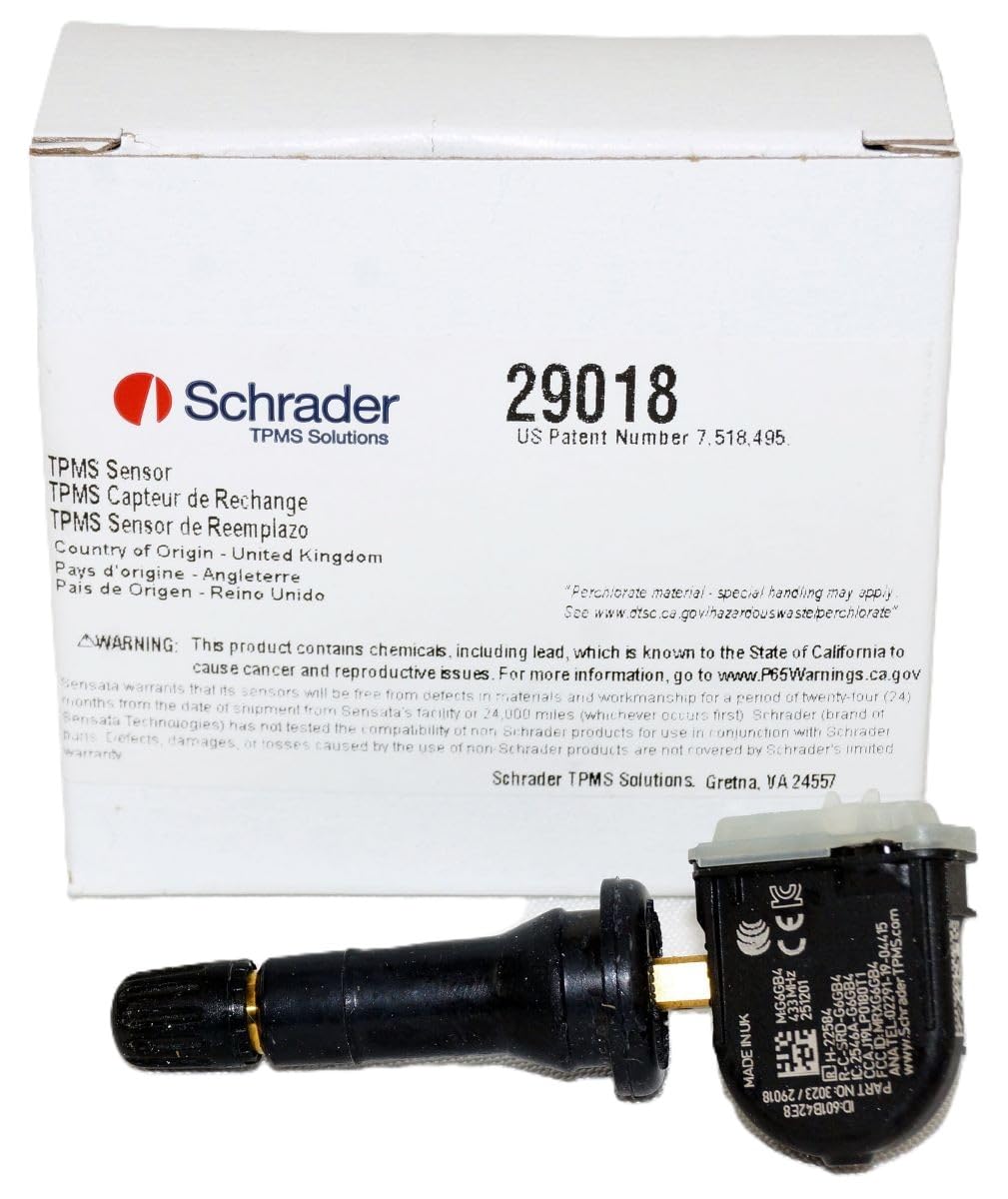
OE replacement TPMS sensor, pre-programmed to the specific vehicle application. A relearn procedure is required after installation. This is not a DIY product. Professional installation by a trained technician is strongly recommended to avoid damage or improper operation. Rubber Snap-In Fixed Angle design. Torque to manufacturer specifications during installation. Schrader recommends replacing sealing components whenever the tire is removed. Compatible Schrader TPMS Service Kit: 34000 Aluminum Valve and 20046 High Speed Rubber Valve Assembly
- Compatible with Ford: Bronco (2021–2024), Bronco Sport (2020–2024), Edge (2015–2025), E-Series (2023–2024), Expedition (2023–2025), Expedition Max (2023–2024), F-150 Lightning (2023–2024).
- Compatible with Ford: F-150 Regular/Extended Cab (2020–2025), F-150 SuperCrew (2020–2025), F-250/F-350 Super Duty (2023–2024), Mustang Mach-E (2020–2024), Mustang (2014–2023).
- Compatible with Lincoln: Nautilus (2021–2024), Navigator (2023–2025).
PROGRAMMING VS. RELEARNING (IMPORTANT)
**BEFORE YOU START** TPMS Tool Compatibility Notice:
To ensure proper programming and functionality, please make sure your TPMS tool is updated with the latest software version before attempting to program this sensor. Outdated tools may not recognize newer sensor protocols, which can result in programming issues or failure to detect the sensor.
Programming and relearning are not the same.
- Programming applies to programmable sensors (EZ-sensor products) and must be completed before installation.
- Relearning is required any time a new sensor ID is introduced to the vehicle or after tire rotation.
A relearn procedure allows the vehicle’s ECU to:
- Recognize the unique ID of each installed sensor
- Display accurate tire pressure by wheel location (if supported)
Using a compatible TPMS scan tool, relearn the sensors in sequence:
LF, RF, RR, LR, Spare (if equipped)
Relearn Description
NOTE: If vehicle has an arrow pad located on the steering wheel, proceed to SCH-GM-22 WITH STANDARD IGNITION: NOTE: On some models, the turn signal will not illuminate once learn mode is active.
1. Turn the ignition to the ON/RUN position (engine off).
2. Using keyless entry system: press and hold lock and unlock buttons simultaneously until horn sounds, and then LF turn signal will become illuminated to indicate learn mode enabled. Or using the DIC, press and release INFO button until TIRE LEARN message is indicated on display. Hold down SET/RESET button until horn sounds, LF turn signal is illuminated to indicate learn mode enabled.
3. Starting at the LF tire, use TPMS activation tool to activate sensor, once the vehicle receives the signal from the sensor, the horn will chirp.
4. After horn sounds, proceed as in step 3 for the next 3 sensors in the following order: RF, RR, LR.
5. After LR sensor has been learned, turn ignition to OFF position. Adjust all tires to pressure listed on tire placard. Step one: press and hold the push button start until the vehicle is in accessary mode. Note: on Cadillac models you will know when you are in accessary mode when the Cadillac emblem appears on the DIC. NOTE: If Keyless entry system does not place vehicle into learn mode see SCH-GM-21/22 WITH PUSH-BUTTON START: NOTE: On some models, the turn signal will not illuminate once learn mode is active. 1. Press and hold the push button start until the vehicle is in accessary mode. Note: on Cadillac models you will know when you are in accessary mode when the Cadillac emblem appears on the DIC. 2. Press the MENU button located on the turn signal lever until “VEHICLE INFORMATION MENU” is displayed. 3. Once you are in the VEHICLE INFORMATION MENU, use the on the turn signal lever until the DIC displays the vehicle’s tire inflation pressures and positions. 4. Press and hold the button located on the end of the turn signal lever until “Are you sure that you want to relearn? YES or NO” is displayed. 5. Use the on the turn signal lever to highlight YES. Once YES is highlighted, press the button located on the end of the turn signal lever. The horn will chirp, “Tire Learning Active” will be displayed on the DIC, and the left front turn signal will be illuminated.
6. Beginning with the left front tire, use a TPMS activation tool to activate the left front sensor. Once the sensor has been activated, the horn will chirp and the right front turn signal will be illuminated. Repeat procedure in following order, right front sensor, right rear sensor, and finally the left rear sensor. Once the left rear sensor has been activated, the horn will chirp twice. You can then turn the vehicle off to exit “learn mode.” Troub
More Information
| Gtin | 0651001220197 |
| Mpn | 29018 |
| Age_group | ADULT |
| Condition | NEW |
| Gender | UNISEX |
| Material | Rubber |
| Product_category | Gl_automotive |
| Google_product_category | Vehicles & Parts |
| Product_type | Automotive > Tires & Wheels > Accessories & Parts > Tire Pressure Monitoring Systems (TPMS) > Replacement Sensors |