
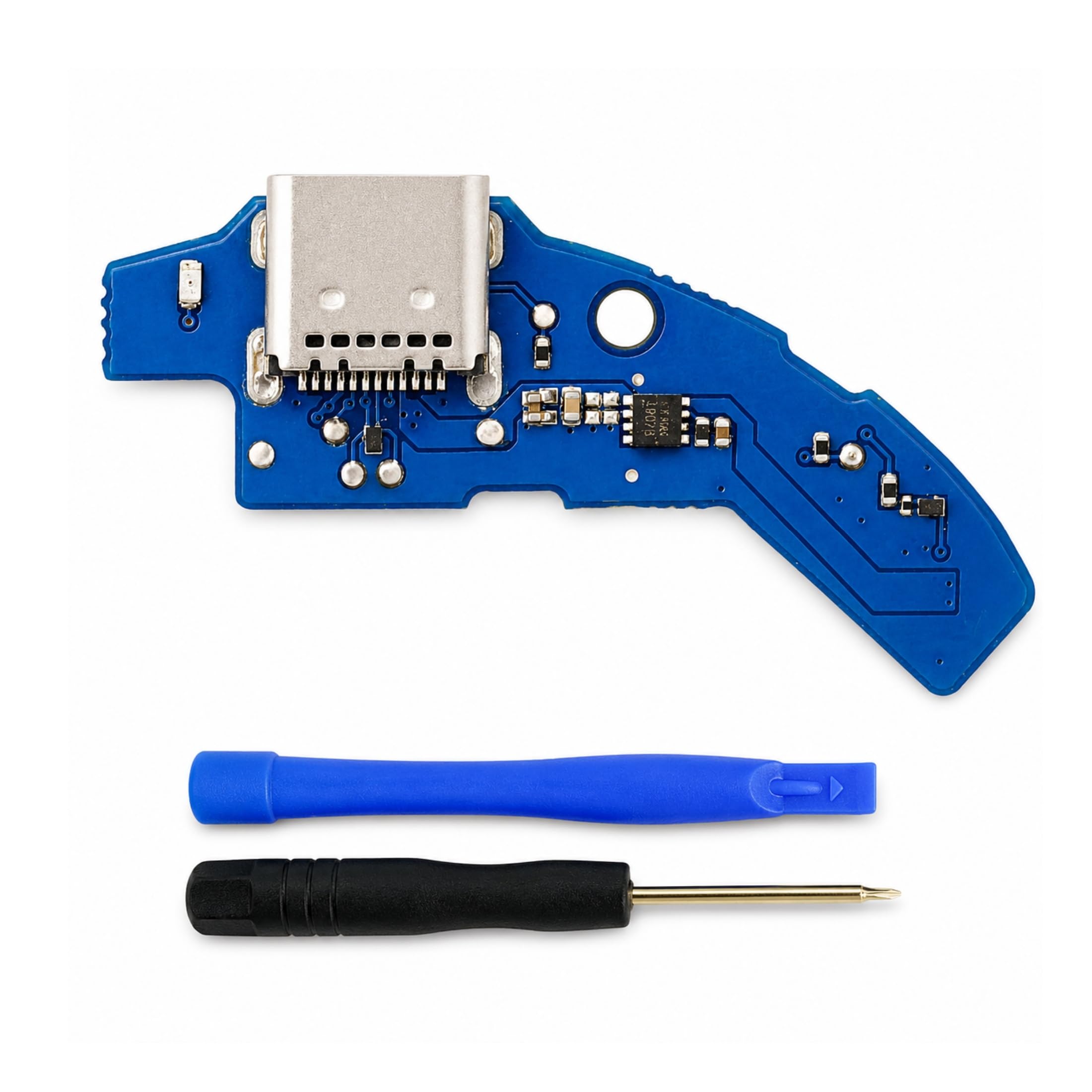
USB-C Charging Port Board Replacement for Sony WH-1000XM4 WH1000XM4, Repair Kit with Screwdriver and Pry Tool, Fixes Not Charging and Loose Port($18.99Value)
$18.99
USB-C Charging Port Board Replacement for Sony WH-1000XM4 WH1000XM4, Repair Kit with Screwdriver and Pry Tool, Fixes Not Charging and Loose Port($18.99Value)
Description
RESTORE CHARGING IN UNDER 10 MINUTES — Fix your Sony WH-1000XM4 not charging, loose USB-C port, dead charging indicator light, poor contact connection, bent charging pin, or broken USB port. This complete DIY repair kit restores full USB-C charging functionality to your WH-1000XM4 / WH1000XM4 wireless Bluetooth noise canceling headphones. No soldering required. No professional skills needed. Repair achievable by anyone at home in under 10 minutes. DESIGNED EXCLUSIVELY FOR SONY WH-1000XM4 — This USB-C charging port PCB board replacement is spec-matched and precision-engineered for Sony WH-1000XM4 / WH1000XM4 / Sony 1000XM4 only. IMPORTANT: NOT compatible with WH-1000XM3, WH-1000XM5, WH-1000XM2, WF-1000XM3, WF-1000XM4, or any other Sony headphone model. Please verify your exact model number printed on your headphones before ordering to ensure correct fit and function. COMPLETE 5-PIECE PROFESSIONAL REPAIR KIT — Everything you need in one package: (1) USB-C Charging Port PCB Board (WH-1000XM4 OEM-Spec Compatible); (2) Precision Phillips Screwdriver; (3) Pry Tool / Spudger; (4) FPC Ribbon Cable; (5) Step-by-Step Installation Instruction Card. No additional tools or parts required. All components are quality-tested before packaging to ensure reliable performance after installatio FIXES ALL COMMON WH-1000XM4 CHARGING PROBLEMS — Specifically resolves: Sony WH-1000XM4 not charging at all; WH-1000XM4 charging port loose or wobbly; USB-C cable falls out when plugged in; WH-1000XM4 charging light not turning on; slow or intermittent charging; headphones showing 0% battery despite being plugged in; damaged or worn USB-C charging connector. Restores original USB-C fast charging speed and stable connection after installation. 1-YEAR FULL REPLACEMENT WARRANTY WITH INSTALLATION SUPPORT — Every USB-C charging port PCB board replacement kit is backed by a 1-Year Full Replacement Warranty. Each unit undergoes quality inspection before shipment to ensure consistent performance. Professional technical installation guidance is available for any questions during the repair process. Restore your Sony WH-1000XM4 noise canceling headphones to full working condition with complete confidence and peace of mind. RESTORE CHARGING TO YOUR SONY WH-1000XM4 HEADPHONES Is your Sony WH-1000XM4 no longer charging? Experiencing a loose USB-C port, dead charging light, or damaged charging connector? This precision USB-C charging port PCB board replacement kit is specifically engineered to restore full charging functionality to your WH-1000XM4 / WH1000XM4 wireless Bluetooth noise canceling headphones. WHY CHOOSE THIS REPAIR KIT Designed as a direct OEM-compatible replacement for the original WH-1000XM4 USB-C charging port PCB board. No soldering required. Complete DIY repair achievable in under 10 minutes. All necessary tools and components included in one package. Restores original USB-C charging speed and reliability. Fixes loose port connections, dead charging indicators, and damaged charging connectors. COMPLETE PACKAGE CONTENTS 1 x USB-C Charging Port PCB Board (WH-1000XM4 Spec-Matched) 1 x Precision Phillips Screwdriver 1 x Pry Tool / Spudger 1 x FPC Ribbon Cable 1 x Step-by-Step Installation Instruction Card STEP-BY-STEP INSTALLATION GUIDE Step 1: Use the precision screwdriver (included) to remove the ear cup screws on your WH-1000XM4. Step 2: Use the pry tool / spudger (included) to carefully separate the ear cup cover from the headphone shell without damaging the housing. Step 3: Use the screwdriver to remove the internal mounting screws securing the charging port PCB board. Step 4: Gently disconnect the FPC ribbon cable from the original damaged WH-1000XM4 charging port PCB board. Step 5: Connect the FPC ribbon cable to the new USB-C charging port PCB board (included in package). Step 6: Secure the new PCB board with the mounting screws. Step 7: Reattach the ear cup cover and tighten all exterior screws. Step 8: Connect your USB-C charging cable and verify charging has been restored. Enjoy your headphones again. COMPATIBILITY — PLEASE VERIFY YOUR MODEL Compatible with: Sony WH-1000XM4 / WH1000XM4 Wireless Bluetooth Noise Canceling Over-Ear Headphones. NOT compatible with: WH-1000XM3, WH-1000XM5, WH-1000XM2, WF-1000XM3, WF-1000XM4, or any other Sony headphone model. Please confirm your exact model number before ordering. WARRANTY AND SUPPORT Every unit is covered by a 1-Year Replacement Warranty. Technical installation support is available. Quality-tested components ensure long-lasting charging performance after installation.
More Information
| Color | Blue |
| Gtin | 0658358678824 |
| Mpn | KSD-26099 |
| Age_group | ADULT |
| Condition | NEW |
| Gender | UNISEX |
| Material | Gold-Plated Contacts |
| Product_category | Gl_electronics |
| Google_product_category | Electronics |
| Product_type | Electronics > Computers & Accessories > Computer Accessories & Peripherals > Cleaning & Repair > Repair Kits |